
AI Signature Field Detection Explained
A contract is ready to go, the counterparty is waiting, and someone on your team is still dragging signature boxes into place one by one. That is exactly the kind of repetitive admin that AI signature field detection is meant to remove. For businesses handling a steady flow of contracts, HR paperwork, approvals or finance documents, it can take a task that slows everything down and turn it into something far more predictable.
The value is not just speed. It is consistency. When signature fields are placed correctly from the start, documents move faster, signers are less likely to miss required actions, and teams spend less time fixing avoidable mistakes. For organisations that care about legal certainty and operational control, that matters more than any flashy automation claim.
What AI signature field detection actually does
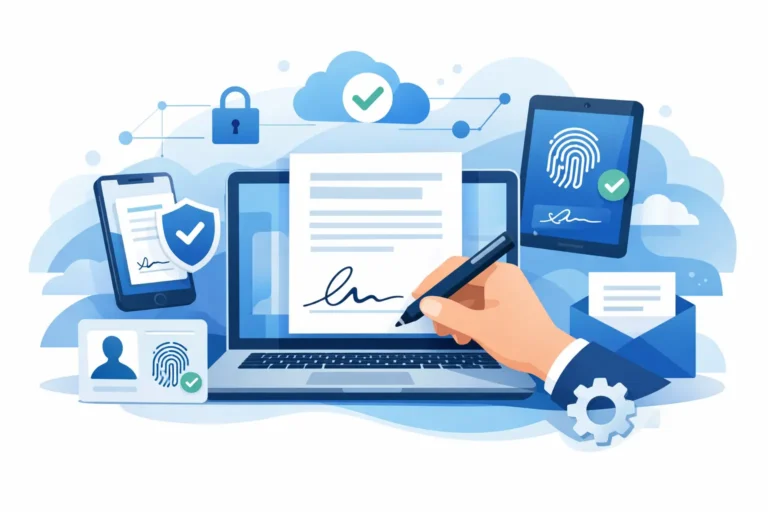
At a practical level, AI signature field detection scans a document and identifies where signature-related fields should be added. That can include signature boxes, initials, dates, names or other signer inputs, depending on the platform and the document type.
The software looks for common visual and textual cues. It may recognise labels such as “Signature”, “Signed by”, “Date” or equivalent phrases in different formats. It may also pick up on layout patterns, including signature lines, form sections and the positioning typically used in agreements, onboarding packs or approval documents.
For the user, the result should feel simple. You upload a document, the system suggests or places the relevant fields, and you review them before sending. The best tools do not force you to start from scratch, but they also do not pretend that automation removes the need for human checks.
Why this matters in real document workflows
Most teams do not struggle with signing because signatures are legally confusing. They struggle because document preparation is repetitive, easy to get wrong and hard to scale across a growing business.
An HR team sending ten employment contracts a month can still manage with manual placement. An HR team sending hundreds of contracts, policy acknowledgements and onboarding forms across multiple entities quickly feels the friction. The same is true for finance teams chasing approvals, legal teams handling recurring agreements, and operations teams pushing supplier documents through multi-signer workflows.
Manual field placement introduces three common problems. First, it takes time that skilled staff should not be spending on low-value document prep. Second, it creates inconsistency, especially when different people prepare documents in different ways. Third, it increases the chance of sending out a document with a missing or misplaced field, which then causes delays, confusion or a complete resend.
AI helps because it reduces that preparation burden at the point where many signing workflows still break down.
Where AI signature field detection works well
This type of automation is strongest when documents follow recognisable patterns. Standard contracts, recurring order forms, employment agreements, NDAs and internal approval documents are all good candidates. If your business uses the same layout again and again, the gains can be significant because the AI has clear signals to work with.
It is also useful when different teams prepare documents, but the business still wants a consistent sending process. A founder, HR manager and finance lead should all be able to prepare a document without needing detailed training on field placement.
For growing organisations, there is another advantage. AI field detection can reduce dependence on one or two power users who understand the system well. That makes processes easier to scale and easier to hand over.
Where human review still matters
Automation is helpful, not infallible. That distinction is especially important in compliance-led environments.
Documents with unusual formatting, scanned pages, mixed languages, dense tables or poor-quality source files can confuse detection models. The same goes for highly bespoke legal documents where signature sections are not laid out in predictable ways. In those cases, the system may miss a field, place one in the wrong section or suggest more fields than necessary.
That is why the right workflow is usually AI first, human review second. The best platforms speed up the boring part while keeping users in control of the final result. For regulated teams, that balance matters. You want efficiency, but not at the cost of sending out flawed documents.
AI signature field detection and compliance are different questions
One common misunderstanding is that smart field detection somehow makes a document more legally valid. It does not. AI signature field detection helps prepare the document for signing. Legal validity depends on other factors, including the type of electronic signature used, how signers are authenticated, the quality of the audit trail, and whether the process aligns with the relevant legal framework.
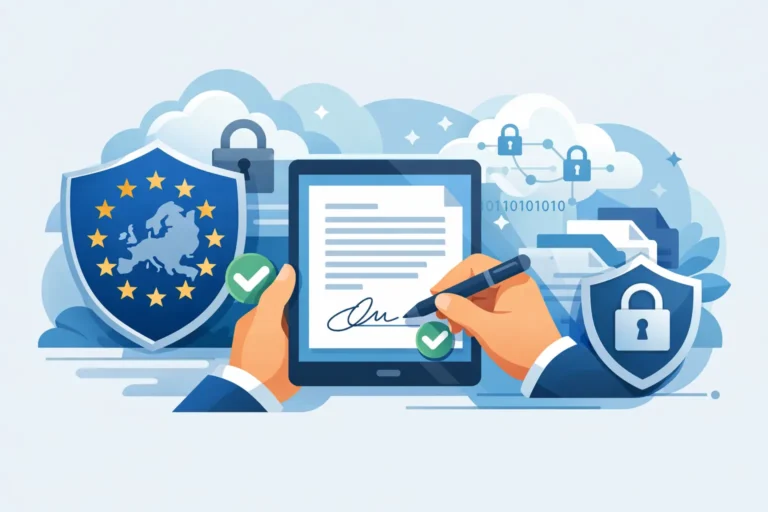
In Europe, that means thinking in eIDAS terms. A platform can use AI to place fields quickly, but the legal strength of the final signature still depends on whether the workflow uses SES, AES or QES where appropriate, and whether the evidence around the transaction is sufficient.
That distinction is useful for buyers. Automation should improve workflow efficiency. Compliance controls should protect legal enforceability and governance. The strongest platforms do both, but they are not the same feature.
What to look for in a business-ready solution
If you are assessing platforms, field detection should be judged as part of the whole document workflow rather than as an isolated AI feature.
Accuracy matters, but so does editability. Your team should be able to review, move or add fields quickly when the AI gets close but not quite right. Template support matters too, because once you know a document will recur, a reusable template is often even faster than fresh detection each time.
You should also look at how the feature works with signing order, team collaboration and audit evidence. A clever detection tool is less useful if the wider sending process is awkward or if compliance controls are weak. For many European businesses, data handling will also be part of the decision. If documents contain sensitive employee, client or financial information, where the data is hosted and how it is processed is not a side issue.
That is where a compliance-first European platform can make more sense than a generic workflow tool. Asignu, for example, combines AI-driven field support with eIDAS-aligned signing options, audit trails and EU-focused data handling, which is often more relevant to SMEs than enterprise software packed with features they will never use.
Templates versus AI detection
Some buyers assume AI field detection replaces templates. In practice, the two solve slightly different problems.
AI is ideal when a document arrives in a usable format and you want the system to identify likely signing fields without manual setup. Templates are better when the same document structure is used repeatedly and you want full consistency every time.
For many teams, the best approach is to use both. AI helps when bringing in new or one-off documents. Templates take over when those documents become part of a regular process. That approach keeps preparation fast without sacrificing control.
The commercial case is straightforward
If you send only a handful of documents each month, manual placement may be tolerable. Once document volume rises, the hidden cost becomes clear. Staff lose time preparing files, signers encounter friction, and small mistakes cause resends that delay revenue, onboarding or approvals.
The return on AI field detection is therefore not just measured in minutes saved per document. It also shows up in smoother turnaround times, fewer support questions from signers and less operational dependency on whoever in the business knows the platform best.
That said, it depends on the quality of your source documents and the maturity of your processes. If documents are chaotic and every workflow is bespoke, AI alone will not fix the underlying problem. If your business already works with fairly standardised documents, the gains are much easier to realise.
A practical way to evaluate it
The sensible way to assess AI signature field detection is to test it on your real documents, not a vendor demo file. Use a mix of standard contracts, messy PDFs, recurring HR forms and multi-signer documents. See how often the system gets the placement right, how quickly your team can correct it, and whether the final sending process still feels clear.
Also involve the people who actually prepare documents every day. Operations, HR, finance and legal users will spot friction points that a procurement checklist misses. If the feature saves time for them without weakening control, it is valuable. If it creates uncertainty or extra checking work, the promise of automation starts to fade.
The strongest document tools are not the ones that try to impress with AI terminology. They are the ones that remove manual effort while keeping signing workflows legally sound, easy to review and straightforward to manage. That is the standard worth using when you decide whether this feature belongs in your process.
When document volume grows, small setup tasks stop being small. If AI can reliably remove one of the most repetitive steps in signing preparation, your team gets back time for work that actually needs judgement.