
Document Approval Process Guide for EU Teams
A contract sitting in someone’s inbox for three days is rarely a signing problem. It is usually an ownership problem. This document approval process guide explains how to give every business document a clear route from draft to approved, signed and securely stored – without creating enterprise-level overhead for a growing team.
For HR, finance, legal and operations teams, approval is where deadlines, accountability and compliance meet. A good process makes routine work faster. A weak one creates version confusion, unauthorised commitments and gaps in the evidence you may later need.
What a document approval process should achieve
Document approval is the controlled review of a document before it is sent, signed, published or acted upon. It may apply to employment contracts, supplier agreements, purchase orders, policy updates, client proposals, onboarding forms and expense authorisations.
The aim is not to put every document through the same number of checks. It is to make sure the right people review the right risk, at the right time. A standard client quotation may need a commercial check only. A data processing agreement may need legal review, security input and an approved signing authority.
An effective process gives your team five things: a clear owner, an agreed version, a defined approval route, a record of each decision and a secure final copy. If any one of these is missing, staff tend to compensate with email chains, chat messages and personal folders. That works until it does not.
Start with document types, not software
Before setting up workflows, list the documents your organisation creates repeatedly. Group them by risk and frequency rather than by department alone. This prevents a low-value internal form receiving the same treatment as a high-value commercial agreement.
A practical starting point is to separate documents into three levels. Low-risk documents are routine, repeatable and based on approved wording, such as standard letters or meeting confirmations. Medium-risk documents affect budgets, customers or employees, such as proposals, purchase requests and employment changes. High-risk documents create substantial legal, financial or regulatory exposure, including key supplier contracts, financing documents and agreements involving personal data.
For each type, decide who drafts it, who must review it, who can approve it and who has authority to sign. Approval and signature are not always the same thing. A finance manager may approve a spend against budget, while a director or authorised representative signs the supplier agreement. Keeping these roles separate is a simple but important control.
Build a document approval process people will follow
The best workflow is usually the shortest one that still provides the required assurance. If employees must ask five people to approve a routine document, they will find a way around the process. If a sensitive agreement has no legal checkpoint, the business takes avoidable risk.
Define one accountable owner
Every document needs a named owner. This person is responsible for moving it forward, resolving comments and confirming that the correct version is ready for approval. They do not need to make every decision, but they should never leave reviewers guessing who will respond.
Set an escalation point too. For example, if an approver has not responded within two working days, the owner can send a reminder and then escalate to a delegated approver. This protects turnaround time without removing accountability.
Set the approval sequence
Use a fixed sequence where order matters. A common route for a customer contract is commercial review first, legal review second, internal approval third and external signature last. This avoids sending a document to a customer before internal terms, pricing or liability clauses are agreed.
Parallel approval can be useful when reviewers assess different issues independently. For instance, finance and information security may review a supplier agreement at the same time. Use it carefully: parallel comments can conflict, so the document owner must consolidate them before the final approval stage.
Make the approval decision explicit
Reviewers should have clear choices: approve, reject or request changes. A comment such as “looks fine” in an email may be useful context, but it is a poor approval record. Require approvers to select a decision and, where they reject or request changes, explain what is needed.
Define what happens after each outcome. Approval should move the document forward. A request for changes should return it to the owner. Rejection should close the request or require a new draft. This sounds basic, yet many delays occur because a document has been commented on but no one knows its actual status.
Control versions before sending for signature
Version control is the point at which a seemingly efficient process can unravel. A document approved in a shared drive may be edited afterwards, then sent for signature as if the approval still applies. That weakens internal control and can lead to difficult conversations with clients, employees or auditors.
Use a clear drafting convention, such as Draft, In Review, Approved for Signature, Signed and Archived. Limit editing rights once a document reaches the approval stage. If material changes are made after approval, return it to the relevant reviewers. Minor formatting changes may not justify a full reapproval, but define this exception in advance rather than relying on judgement each time.
Templates reduce this risk for recurring documents. Approved templates protect standard clauses, brand details and signature blocks, while allowing users to complete the fields that change for each transaction. They are particularly useful for HR letters, sales agreements, consent forms and supplier onboarding packs.
Connect approval with a legally appropriate signature
An internal approval proves that your organisation agreed to proceed. It does not automatically determine the type of electronic signature required from the final signers. That decision depends on the document, the risk, the parties’ expectations and any applicable legal or sector-specific rules.
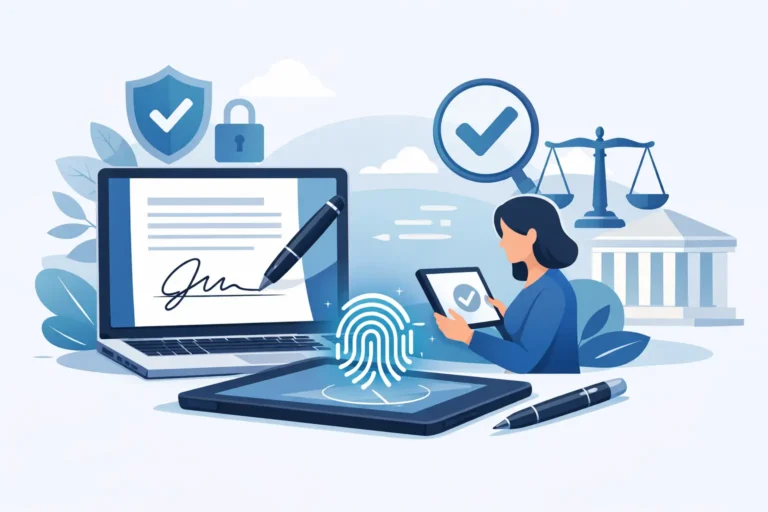
Under eIDAS, electronic signatures can be simple, advanced or qualified. A Simple Electronic Signature, or SES, may be suitable for lower-risk business documents. An Advanced Electronic Signature, or AES, offers stronger links between the signature and signer, helping demonstrate control and integrity. A Qualified Electronic Signature, or QES, has the highest assurance level and is legally equivalent to a handwritten signature across EU member states.
There is no benefit in automatically using QES for every document if the added identity checks slow down a routine transaction without serving a genuine requirement. Equally, using the lowest-assurance method for a high-risk agreement may not meet your internal policy or counterparties’ expectations. Match the signature method to the document and record the reasoning in your process.
A platform such as Asignu can keep approvals, signing sequences, status tracking and audit evidence in one controlled workflow, while supporting eIDAS-compliant signature options. That is useful when teams need legal certainty without managing separate tools for drafting, sending and chasing signatures.
Keep evidence that stands up to scrutiny
A completed document is not the whole record. You should be able to show who approved it, when they did so, what version they approved and how the final document was signed. For regulated, disputed or high-value agreements, this evidence can matter as much as the document itself.
Maintain an audit trail that records actions, timestamps and participants. Store the signed document with its completion certificate or signature evidence, approval history and any related identity verification where used. Restrict access according to role, particularly for HR records, financial documents and agreements containing personal data.
For European organisations, GDPR is not an afterthought. Use only the personal data needed to run the workflow, set sensible retention periods and ensure your provider’s hosting and processing arrangements fit your organisation’s requirements. EU-only hosting may be especially relevant where data sovereignty is part of your supplier policy or customer commitments.
Measure delays, then improve the route
Once a process is in place, look at where documents stop. Track the time from draft to approval, the time waiting for each reviewer, rejection reasons and the time from sending to completion. A recurring bottleneck often points to an unclear role, an overloaded approver or a template that needs improvement.
Do not optimise solely for speed. A one-hour approval route is not a success if it removes the review that catches incorrect payment terms or unsuitable data clauses. The right target is predictable turnaround with proportionate control.
Start with your most common document type, agree the ownership and rules, and run the workflow for a month. The process should make the correct action easier than the workaround. When it does, approvals stop being an inbox chase and become a dependable part of how your organisation operates.