How to Choose E Signature Software
If your team is still chasing signatures by email, printing PDFs for one approval, or wondering whether a signed document would stand up to scrutiny, the software is not the small decision – it is the process behind it. Knowing how to choose e signature software means looking past the sales page and checking whether the platform fits your legal, operational and budget realities.
For small businesses and growing teams, the wrong choice usually shows up later. It appears when HR cannot prove who signed an employment document, when finance pays extra for every advanced signature, or when legal discovers the provider stores data outside the framework your business is comfortable with. A good platform should make document signing faster, but it should also reduce risk and give your team a clearer way of working.
How to choose e signature software for real business use
Start with the documents you actually send, not the feature list a vendor wants to show you. A company sending standard sales contracts has different needs from one handling board approvals, regulated HR records or supplier agreements across multiple EU jurisdictions. The best choice depends on volume, legal sensitivity, signer location and how much internal control you need.
That is why the first question is not, “Does it have e-signatures?” Almost every platform does. The real question is whether it supports the level of signature, evidence and workflow your documents require.
Match the signature type to the risk level
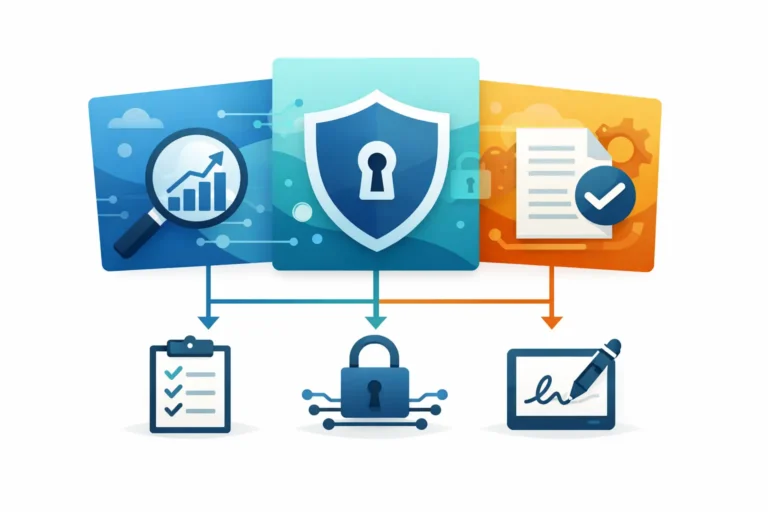
Many buyers treat all electronic signatures as interchangeable. They are not. Under eIDAS, the difference between Simple Electronic Signatures, Advanced Electronic Signatures and Qualified Electronic Signatures matters.
SES may be perfectly suitable for lower-risk agreements and routine approvals. AES adds stronger signer identification and tamper evidence, which is often a better fit for business-critical documents. QES carries the highest assurance level and, in many cases, is the right option when legal certainty is non-negotiable.
If a provider is vague about this, treat that as a warning sign. You should be able to understand what signature levels are available, when to use each one, and whether the software supports legally valid signing across EU member states. If your organisation works in regulated sectors or handles sensitive employment, financial or compliance documents, this is not a detail to sort out later.
Check whether the compliance story is specific or generic
A surprising number of platforms speak confidently about security while saying very little about legal validity in Europe. Those are different things. A secure platform is not automatically the right platform for EU business workflows.
When assessing software, look for clear statements on eIDAS alignment, GDPR handling, audit trails and data hosting. If your business cares about data sovereignty, ask where documents and signer data are stored and processed. EU-only hosting may be a practical requirement, not just a preference.
This is especially relevant for teams working with employment records, customer contracts, procurement files or internal approvals that may later need to be reviewed. A proper audit trail should show what happened, when it happened and who took each action. If the evidence package is weak, the signing experience may be slick but the operational value is limited.
Look beyond sending and signing
A lot of businesses buy e-signature software thinking the main benefit is replacing pen and paper. In practice, the bigger gain often comes from better document control.
If your team sends the same agreement every week, templates matter. If contracts need approval in a fixed order, signing sequences matter. If several colleagues need visibility on progress, shared tracking and team access matter. If signed files disappear into inboxes and shared drives, structured document organisation matters.
This is where many tools separate into two camps. Some are basic signing utilities. Others support an actual document workflow. For small and medium-sized businesses, the second group usually delivers more value because it removes admin around the signature, not just the signature itself.
Ask how much manual work the software removes
A useful platform should reduce repetitive setup. That means reusable templates, prefilled fields, straightforward recipient assignment and status tracking that does not require manual follow-up.
AI-based field detection can also be worthwhile if your team works with varied PDFs or externally produced documents. The same applies to automatic signature detection. These features are not essential for every company, but in document-heavy teams they save time and cut avoidable mistakes.
The key test is simple: after implementation, will your team send documents faster and with fewer steps? If the answer is uncertain, the tool may be adding a digital layer without fixing the underlying process.
Consider how different teams will use it
The person buying the software is often not the only person using it. HR may need onboarding packs, finance may need approval chains, legal may care about evidence, and operations may want visibility across all pending documents.
So when comparing options, check whether the platform works well for multiple roles. Can teams organise documents properly? Can administrators monitor status without chasing updates? Can colleagues collaborate without sharing one login or exporting files into separate systems?
A platform that works for one user but creates friction for everyone else rarely scales well.
Pricing should reflect how your business signs
Pricing is where many apparently affordable tools become expensive. Entry plans can look reasonable until you discover that key functions sit behind higher tiers, signature limits are restrictive, or advanced signatures are charged separately.
If your business sends a high volume of important documents, pay close attention to how AES and QES are billed. Charging per advanced signature can make forecasting difficult and can discourage teams from using the appropriate signature type. That creates the wrong behaviour – choosing based on cost rather than document risk.
A better pricing model is one that matches real usage and is easy to explain internally. You should know what is included, what scales by user, and which compliance or identity features cost extra. Optional add-ons are not a problem if they are transparent. Hidden usage penalties are.
For European SMEs, this is often where a simpler provider has the advantage. You may not need enterprise procurement complexity or a large bundle of features that never get used. You do need predictable costs and a platform that covers legal and operational essentials properly.
Security matters, but context matters more
Every vendor will claim strong security. The useful question is whether the controls match your document risk and governance needs.
Look at user permissions, authentication options, audit records and administrative control. If your business needs single sign-on, API access or identity verification, check whether these are available now or only on a custom plan. If you operate in a regulated environment, ask how the platform supports internal compliance reviews and external evidence requests.
At the same time, avoid buying complexity you do not need. A small professional team does not necessarily benefit from a deeply technical setup if its main requirement is legally valid signing, clean workflows and secure storage. Good software should be clear to administer, not just impressive in a security questionnaire.
How to compare vendors without wasting time
The fastest way to compare providers is to run a short, practical scenario. Use one common document, one higher-risk document and one multi-signer document. Then test how each platform handles setup, signing flow, reminders, tracking, evidence and storage.
During that process, pay attention to the questions a provider can answer plainly. Can they explain the legal position in Europe? Can they describe where data is hosted? Can they show how AES or QES works in practice? Can they explain pricing without caveats?
Clarity is a strong buying signal. If a platform is difficult to understand during evaluation, it usually does not become simpler after purchase.
One reason European teams look for alternatives such as Asignu is that they want legal certainty and practical workflow tools without enterprise feature bloat. That balance matters. The best software is not the one with the longest feature list. It is the one your team will actually use correctly, at scale, with confidence.
The right choice should feel boring in the best way
When e-signature software is chosen well, documents move, approvals happen, records stay organised and nobody has to improvise. That may not sound exciting, but for finance, HR, legal and operations teams, predictable is exactly the point.
Choose the platform that gives you the right level of legal validity, evidence, control and ease of use for the documents you handle every day. If it makes signing faster while making compliance clearer, you are probably looking at the right fit.