
How to Send Documents for Signature Online
A contract stuck in someone’s inbox can hold up a hire, a sale, a supplier arrangement or a month-end approval. The practical answer is to send documents for signature online with a clear process that tells every signer what to do, records what happened and gives your team a reliable final document.
For most small and growing businesses, the issue is not simply adding a signature box to a PDF. It is choosing a workflow that is easy for recipients, legally appropriate for the document, and controlled enough for the people responsible for finance, HR, legal or operations.
What it means to send documents for signature online
Online signing turns a document into a managed signing request. You upload the file, add the people who need to act, place the relevant fields, set the order and send an invitation. Each recipient signs from a browser, while the platform records key events such as invitation delivery, viewing, signing and completion.
That record matters. A business should be able to show which version was signed, by whom, when and through which signing process. A completed PDF alone may be useful, but it does not always provide the same level of evidence as a full audit trail.
The best workflow also removes unnecessary chasing. Rather than sending attachments back and forth by email, you can see whether a request is waiting, viewed, completed, declined or overdue. This is particularly valuable when several departments need to act on the same agreement.
Choose the right signature level before you send
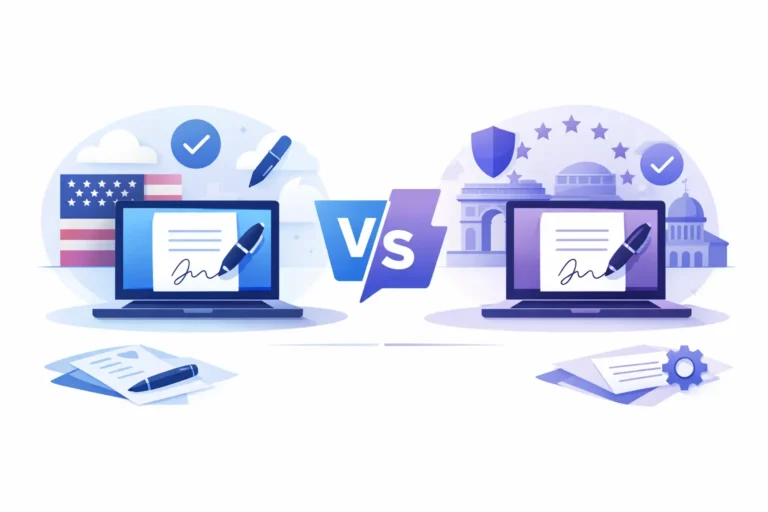
Under eIDAS, electronic signatures are recognised across EU member states, but the appropriate level depends on the transaction and the risk involved. Treating every document exactly the same can create either needless cost or insufficient assurance.
A Simple Electronic Signature, or SES, may suit lower-risk acknowledgements and internal approvals where the organisation can accept a lighter level of identity assurance. An Advanced Electronic Signature, or AES, provides stronger links between the signer and signature, with measures designed to detect changes to the signed document. It is often a sensible choice for day-to-day commercial contracts, HR paperwork and professional approvals.
A Qualified Electronic Signature, or QES, is the highest level under eIDAS and is legally equivalent to a handwritten signature throughout the EU. It may be required by law for particular transactions or selected by your organisation where the stakes, policy or counterparty demand it. QES normally involves a qualified trust service and a stronger identity verification process.
There is no universal rule that says every contract needs QES. Start with the document type, applicable national rules, internal policy and the consequences of a dispute. For unusual, high-value or heavily regulated documents, obtain legal advice rather than relying on a general checklist.
A practical workflow for online signature requests
A good process should take only a few minutes once the document is ready. The quality comes from the controls around it, not from making it complicated.
Prepare a final, readable document
Upload the version that has been reviewed and approved. Check names, dates, commercial terms and appendices before adding signers. If the document changes after a person has signed, you should normally create and send a new version rather than trying to manage amendments outside the signing workflow.
Use a clean, searchable PDF where possible. It is easier to review on screen and reduces the chance that fields appear in the wrong place.
Add signers and set the correct order
Assign each recipient a name and email address, then place signature, date, initials, text or checkbox fields where they are needed. Make the required fields obvious. A recipient should not have to guess whether they need to sign, complete a date, confirm a statement or simply receive a copy.
For documents with dependencies, use a signing sequence. A director may need to approve first, followed by a customer, then an internal administrator who receives the completed copy. For independent approvals, parallel signing can be faster. The right choice depends on whether one signer’s action must happen before another can proceed.
Write an invitation that gives context
The invitation email should say what the document is, why the recipient is receiving it and when you need it returned. Keep it specific: “Please sign the consultancy agreement by Friday” is more effective than “Document for signature”.
Avoid including sensitive contractual detail in the email body. The signing request should direct the recipient to the protected document, while the message provides enough context to build confidence and avoid confusion.
Send, track and follow up with purpose
Once sent, use status tracking rather than assumptions. A request that has not been opened may indicate an incorrect email address, a spam filter or a recipient who needs a separate prompt. A viewed but unsigned request may need a deadline reminder or clarification on a clause.
Automated reminders are useful, but they should not replace judgement. For an important agreement, a short personal message can resolve a question faster than repeated notifications. Escalate only when necessary and keep a clear record of the agreed deadline.
Store the completed document and evidence together
When all required signers have completed the request, retain the final document with its audit trail and supporting evidence. Store it in a structured location using a consistent naming convention, such as client name, document type and completion date.
This makes a material difference later. Finance can find an approved order form, HR can retrieve a signed policy acknowledgement, and legal or compliance teams can review the signing history without searching through individual inboxes.
Where online signing processes usually fail
The most common problem is not technology. It is a poorly designed request. Signers are added in the wrong order, required fields are missed, or a document is sent before the final terms are agreed. These errors create friction and can undermine confidence in the process.
Another risk is selecting software based solely on the lowest headline price. Per-envelope or per-signature charges can become difficult to predict when document volume rises, especially for teams handling routine contracts, onboarding packs or customer approvals. Check whether the plan includes the signature level you need, audit trails, team controls, templates and appropriate data hosting.
For European organisations, data location and compliance responsibilities should be part of the decision. GDPR does not mean that every provider is unsuitable, but you should understand where documents and personal data are hosted, who can access them, how retention is managed and what contractual safeguards apply.
Make recurring documents faster with templates
If your team sends the same type of document repeatedly, templates are where online signing starts to save real time. Instead of rebuilding fields and recipient roles for every NDA, employment letter, service agreement or approval form, create a reusable version with the signing fields already positioned.
Define roles rather than fixed individuals, such as “Client signatory”, “Company director” or “HR manager”. Each time you send the template, assign the relevant person to that role. This keeps the process consistent while allowing the request to adapt to each case.
AI-assisted field and signature detection can speed up initial preparation, particularly for longer forms. It should still be reviewed by a human before sending. Automation is helpful for finding likely fields; accountability for the completed request remains with the team sending it.
What to look for in a signing platform
A practical platform should make routine work straightforward without stripping out the evidence and controls your business needs. Look for eIDAS-aligned signature options, a detailed audit trail, configurable signing order, reminders, templates, document status tracking and role-based team access.
For teams with regular AES requirements, pricing deserves close attention. Unlimited Advanced Electronic Signatures can be more predictable than paying every time a document is sent, particularly as the organisation grows. Higher-assurance needs such as QES, identity verification, API access or single sign-on may be better treated as optional services, so you only add them when the workflow requires them.
Asignu is designed around this balance: European-hosted document workflows, legally valid signing options and practical tools for teams that do not need enterprise feature bloat. The key is not to buy the longest feature list. It is to choose the level of control that matches the documents your organisation actually sends.
Give every signature request an owner
Assign responsibility for each signing request, even when the process is automated. One person should know why it was sent, whether the document is final, what deadline applies and what to do if a signer disputes, declines or cannot access it.
That small discipline turns online signing from a quicker way to circulate PDFs into a dependable business process. Your recipients get a clear request, your team retains the evidence, and important documents stop becoming invisible once they leave the outbox.